Build Better Mobile Apps with Firebase and Google

Mike McDonald / @asciimike
1871 Chicago
Realtime, feature-rich apps are here
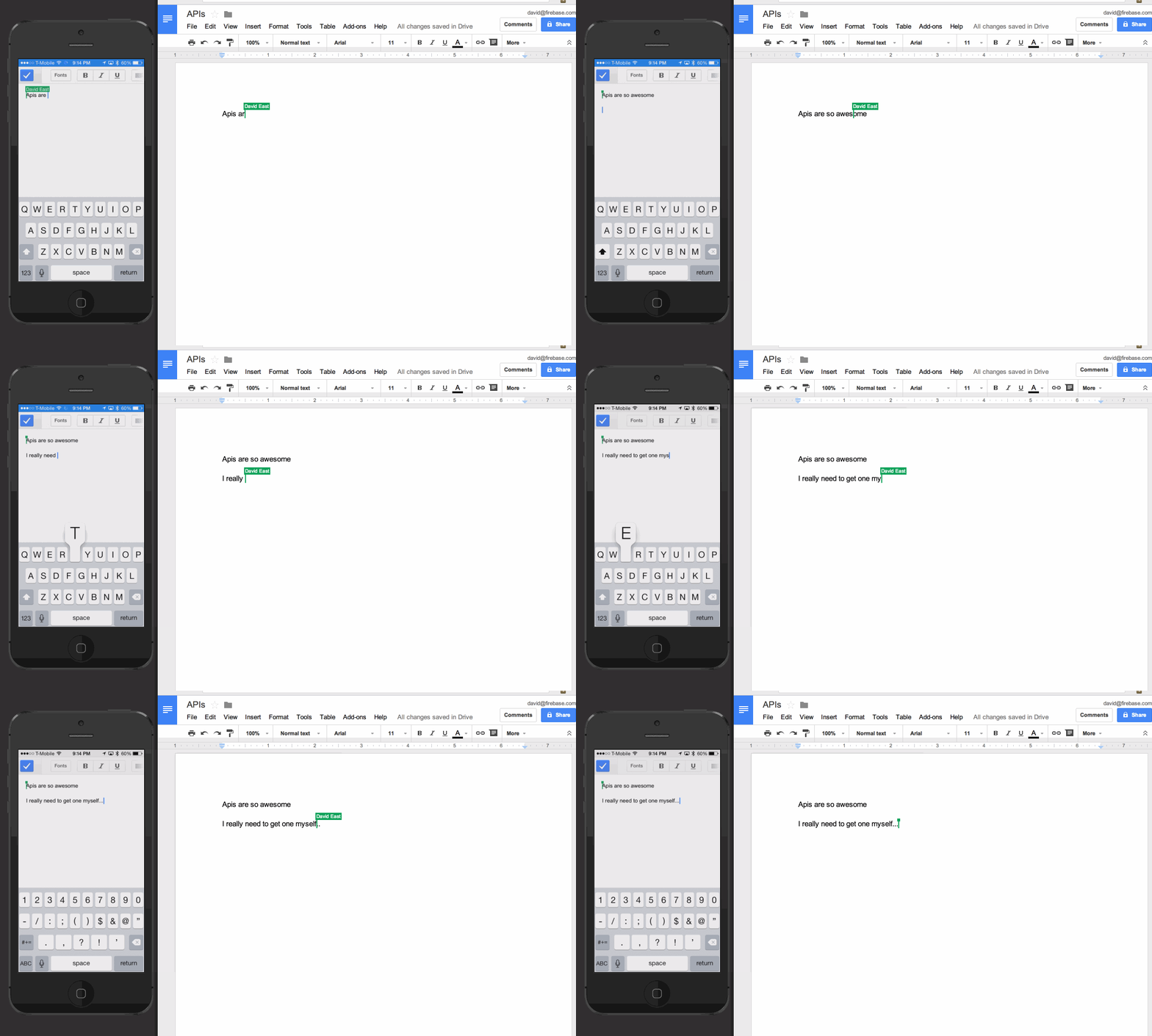
Building those apps is hard
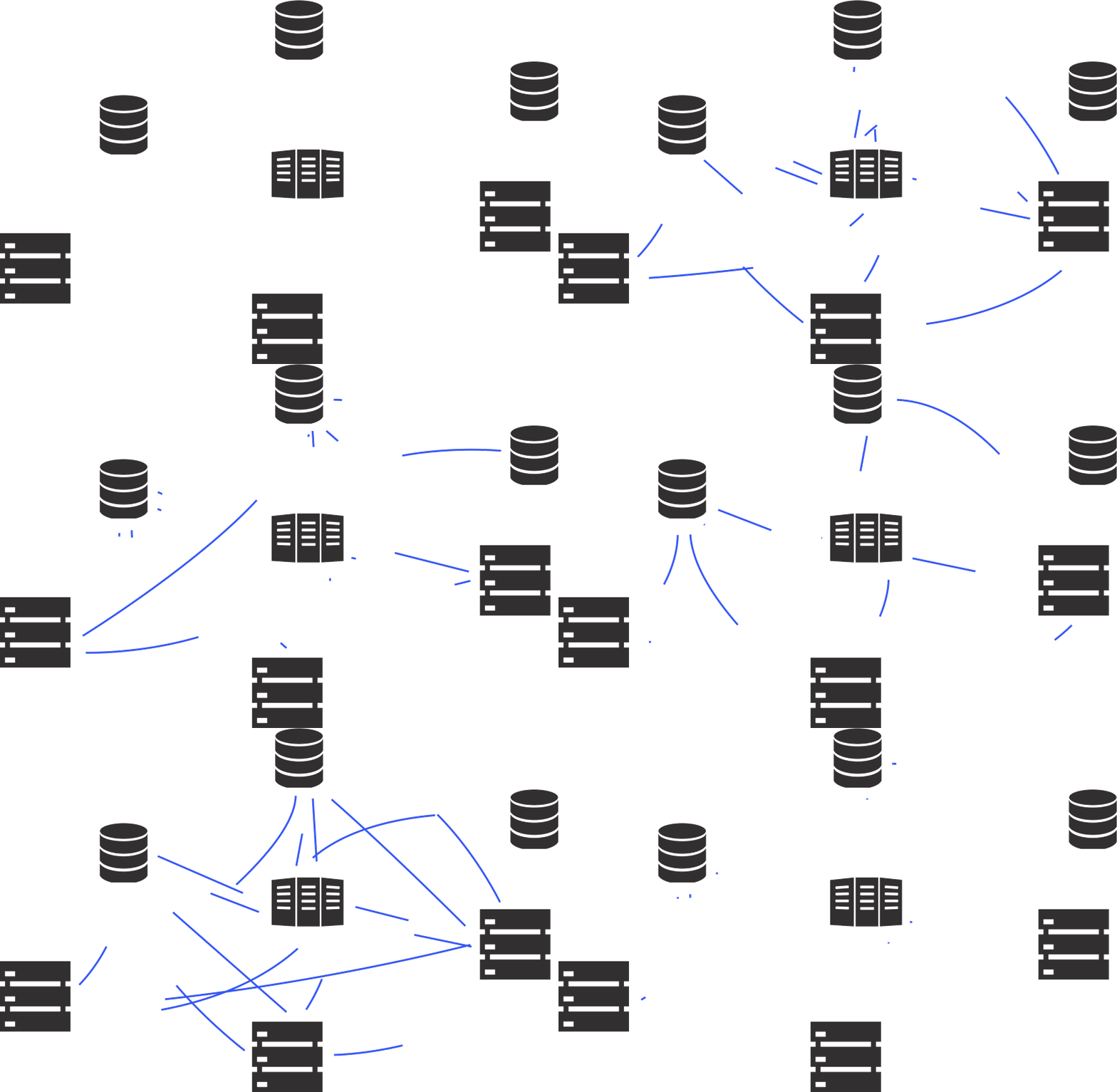
Firebase
A powerful platform for
building extraordinary apps
Firebase Is Your Backend




Realtime Database
NoSQL JSON data store
Cross-platform client-side SDKs
Offline out-of-the-box
Auto-scaling
RESTful API
Realtime
Whenever data is updated in Firebase,
it sends the update down to every
listening client
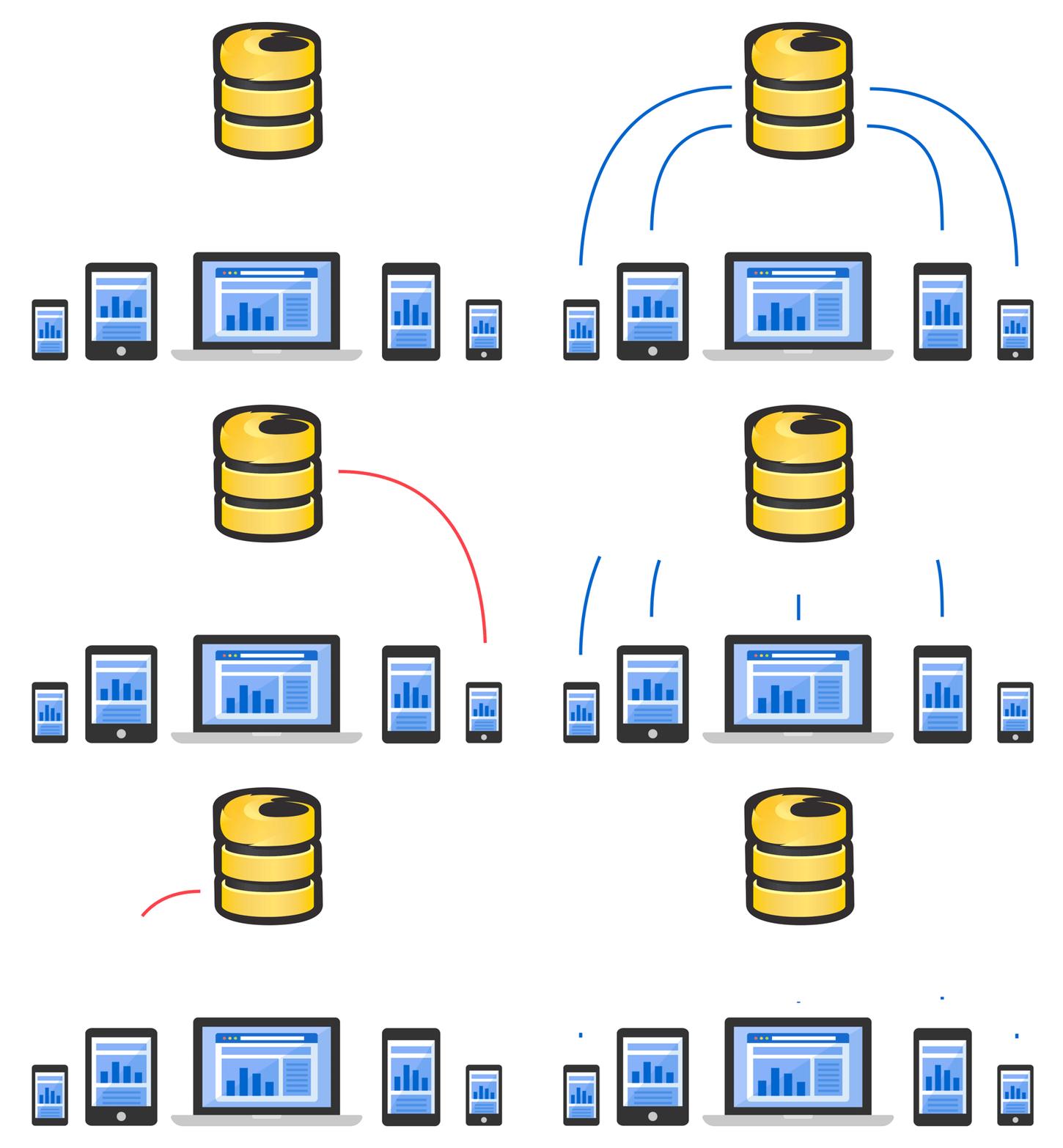
Cross-platform

Storing Data
{
  "location": {
    "city": "Chicago",
    "state": "Illinois",
    "country": "USA"
  }
}
Storing Data (Obj-C)
Firebase *ref = [[Firebase alloc] initWithUrl:@"https://1871.firebaseio.com"];
Firebase *locationRef = [ref childByAppendingPath: @"location"];

NSDictionary *location = @{
    @"city" : @"Chicago",
    @"state": @"Illinois",
    @"country": @"USA",
};

[locationRef setValue: location];
Storing Data (Swift)
var ref = Firebase(url: "https://1871.firebaseio.com")
var locationRef = ref.childByAppendingPath("location")

var location = [
  "city": "Chicago",
  "state": "Illinois",
  "country": "USA"
]

locationRef.setValue(location)
Storing Data (Java)
Firebase ref = new Firebase("https://1871.firebaseio.com");
Firebase locationRef = ref.child("location")

Map<String, String> locationMap = new HashMap<String, String>();
locationMap.put("city", "Chicago");
locationMap.put("state", "Illinois");
locationMap.put("country", "USA");

locationRef.setValue(location);
Reading Data
{
  "location": {
    "city": "Chicago",
    "state": "Illinois",
    "country": "USA"
  }
}
Reading Data (Obj-C)
Firebase *ref = [[Firebase alloc] initWithUrl:@"https://1871.firebaseio.com"];
Firebase *locationRef = [ref childByAppendingPath: @"location"];

[locationRef observeEventType:FEventTypeValue withBlock:^(FDataSnapshot *snapshot) {
    NSLog(@"%@", snapshot.value[@"city"]); // "Chicago"
} withCancelBlock:^(NSError *error) {
    NSLog(@"%@", error.description);
}];
Reading Data (Swift)
var ref = Firebase(url: "https://1871.firebaseio.com")
var locationRef = ref.childByAppendingPath("location")

locationRef.observeEventType(.ChildAdded, withBlock: { snapshot in
    println(snapshot.value.objectForKey("city")) // "Chicago"
}, withCancelBlock: { error in
    println(error.description)
})
Reading Data (Java)
Firebase ref = new Firebase("https://1871.firebaseio.com");
Firebase locationRef = ref.child("location")

locationRef.addValueEventListener(new ValueEventListener() {
    @Override
    public void onDataChange(DataSnapshot snapshot) {
        HashMap<String, String> location = snapshot.getValue();
        System.out.println(location.get("city")); // "Chicago"
    }

    @Override
    public void onCancelled(FirebaseError firebaseError) {
        System.out.println("The read failed: " + firebaseError.getMessage());
    }
});
Authentication
No server required
Anonymous
Email / password
Facebook, Twitter, Google, etc.
Custom
Authenticating Users (Obj-C)
Firebase *ref = [[Firebase alloc] initWithUrl:@"https://1871.firebaseio.com"];
[ref authUser:@"mcdonald@firebase.com" password:@"password"
    withCompletionBlock:^(NSError *error, FAuthData *authData) {

    if (error) {
        // There was an error logging in to this account
    } else {
        // We are now logged in
    }
}];
Authenticating Users (Swift)
let ref = Firebase(url: "https://1871.firebaseio.com")
ref.authUser("mcdonald@firebase.com", password: "password",
    withCompletionBlock: { error, authData in

    if error != nil {
        // There was an error logging in to this account
    } else {
        // We are now logged in
    }
})
Authenticating Users (Java)
Firebase ref = new Firebase("https://1871.firebaseio.com");
ref.authWithPassword("mcdonald@firebase.com", "password", new Firebase.AuthResultHandler() {
    @Override
    public void onAuthenticated(AuthData authData) {
        // We are now logged in
    }

    @Override
    public void onAuthenticationError(FirebaseError firebaseError) {
        // There was an error logging in to this account
    }
});
And More...
FirebaseUI
Ionic support
GeoFire (realtime geolocation)
Open Data Sets
Security Rules
More coming soon...
Firebase Is Your Backend
Focus On Your App
Join the 193,000+ other registered devs
who are building extraordinary apps
Stop messing with servers
Leave the hard stuff to us
Start Building Now!
Next Steps
Track actions with Google Analytics
Engage your users with Google Cloud Messaging
Monetize using IAP (Play or App store) or Admob
Engage and Earn